Video editing blog · DELIVERY · JULY 29, 2026
Social video safe zones and bitrates: 2026 export guide
A working delivery guide for Instagram, TikTok and YouTube with safe areas, codecs, bitrates and separate presets for vertical and long-form video.
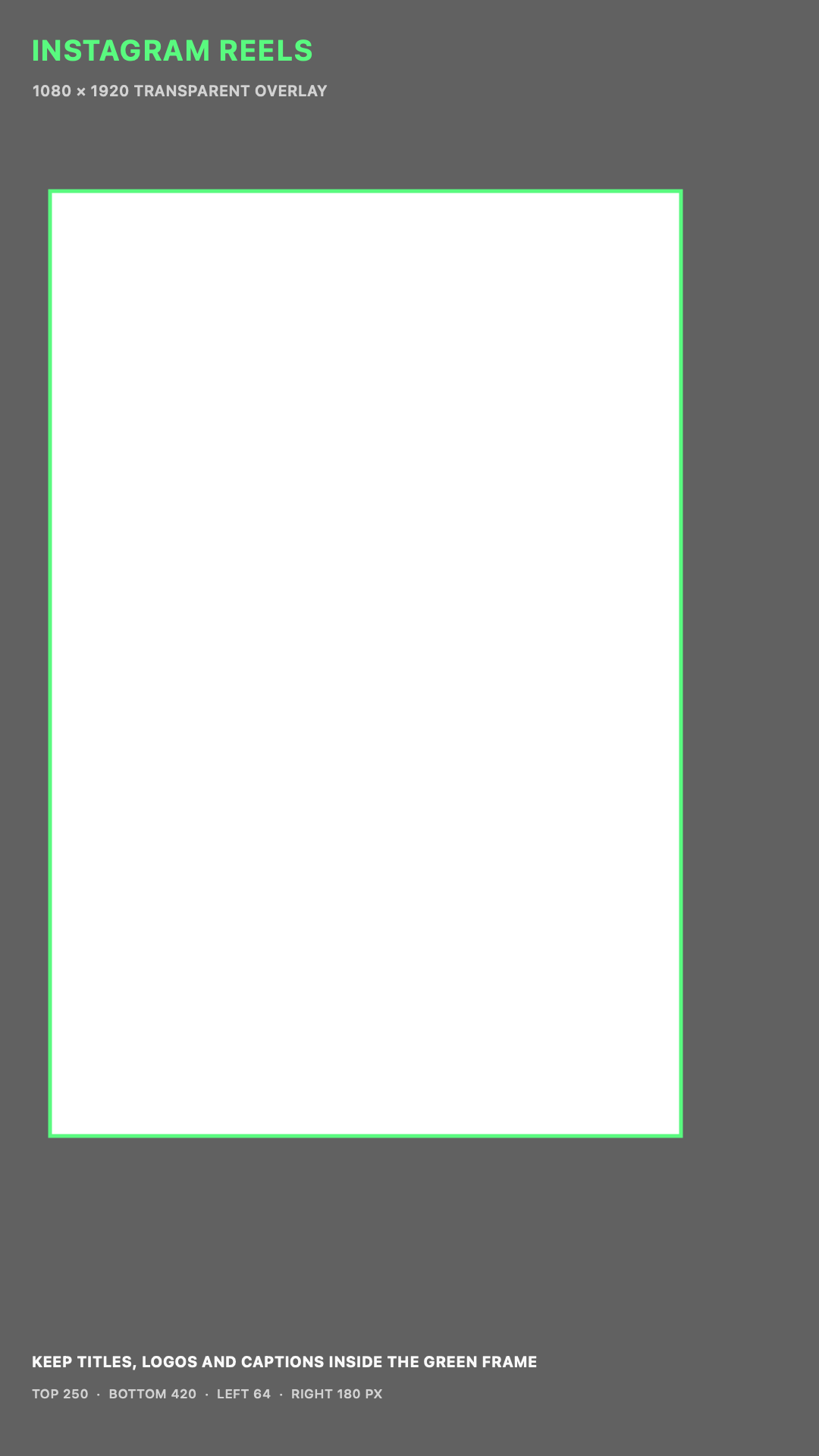
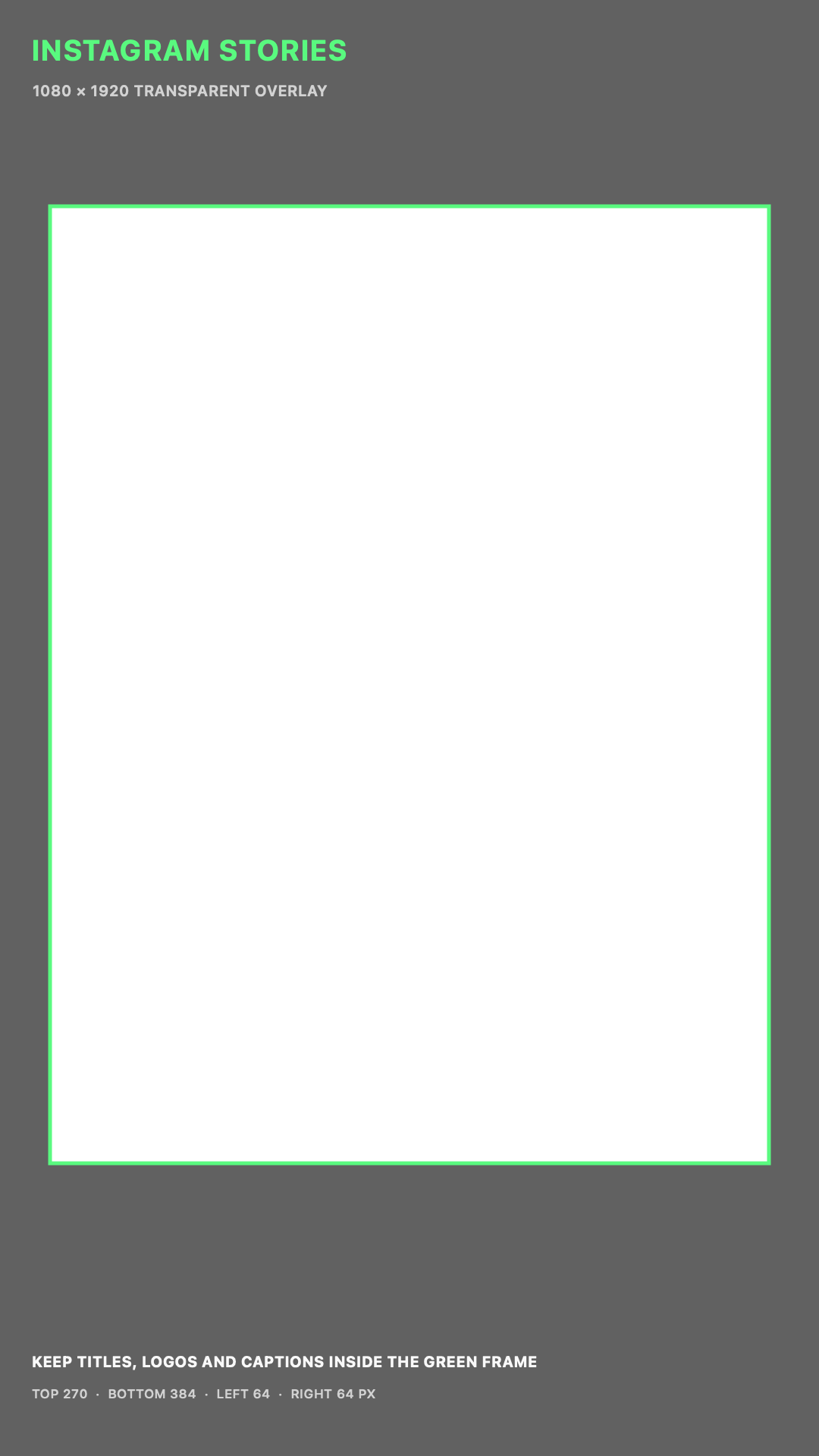
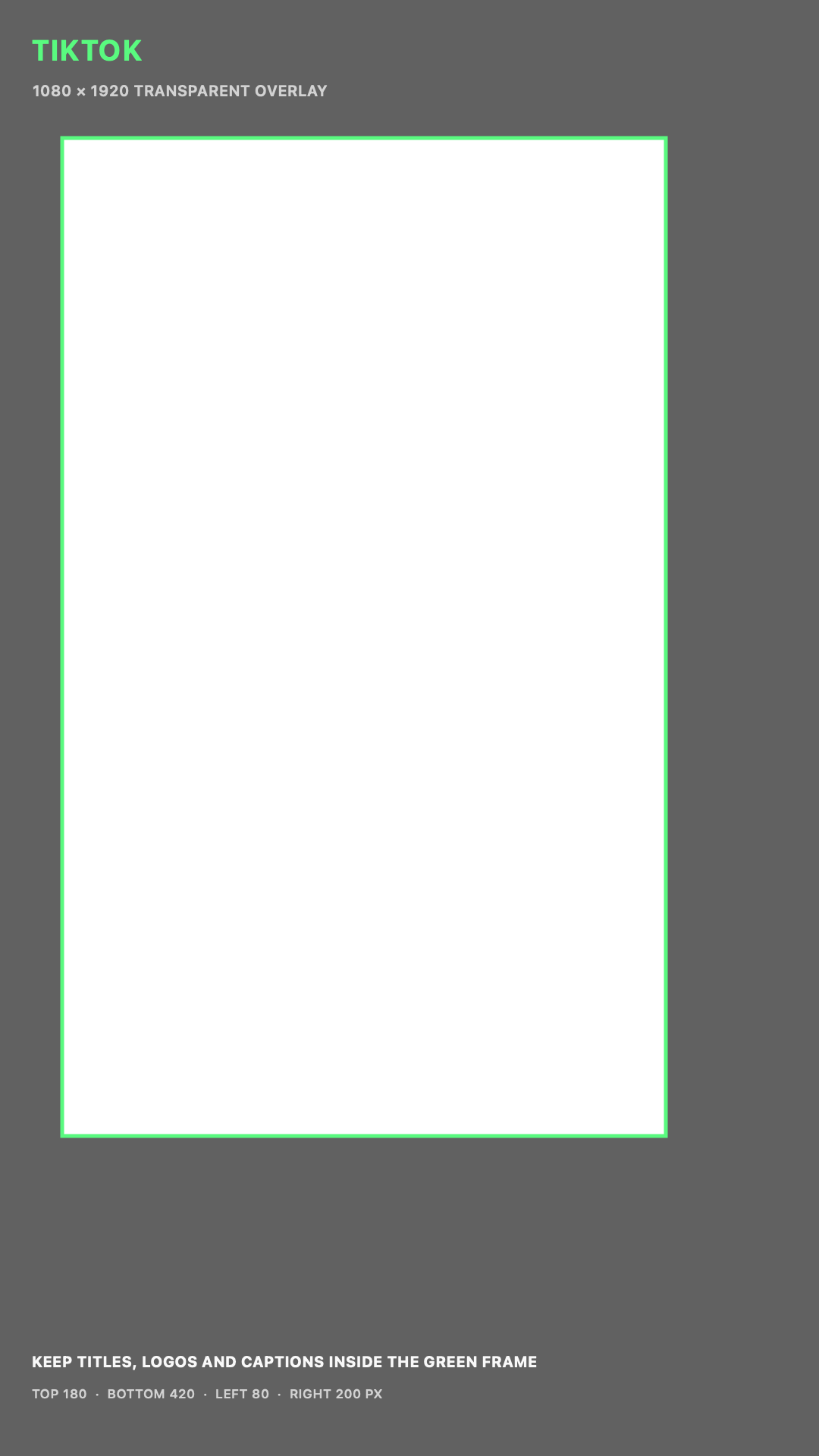
Download transparent safe-zone PNGs
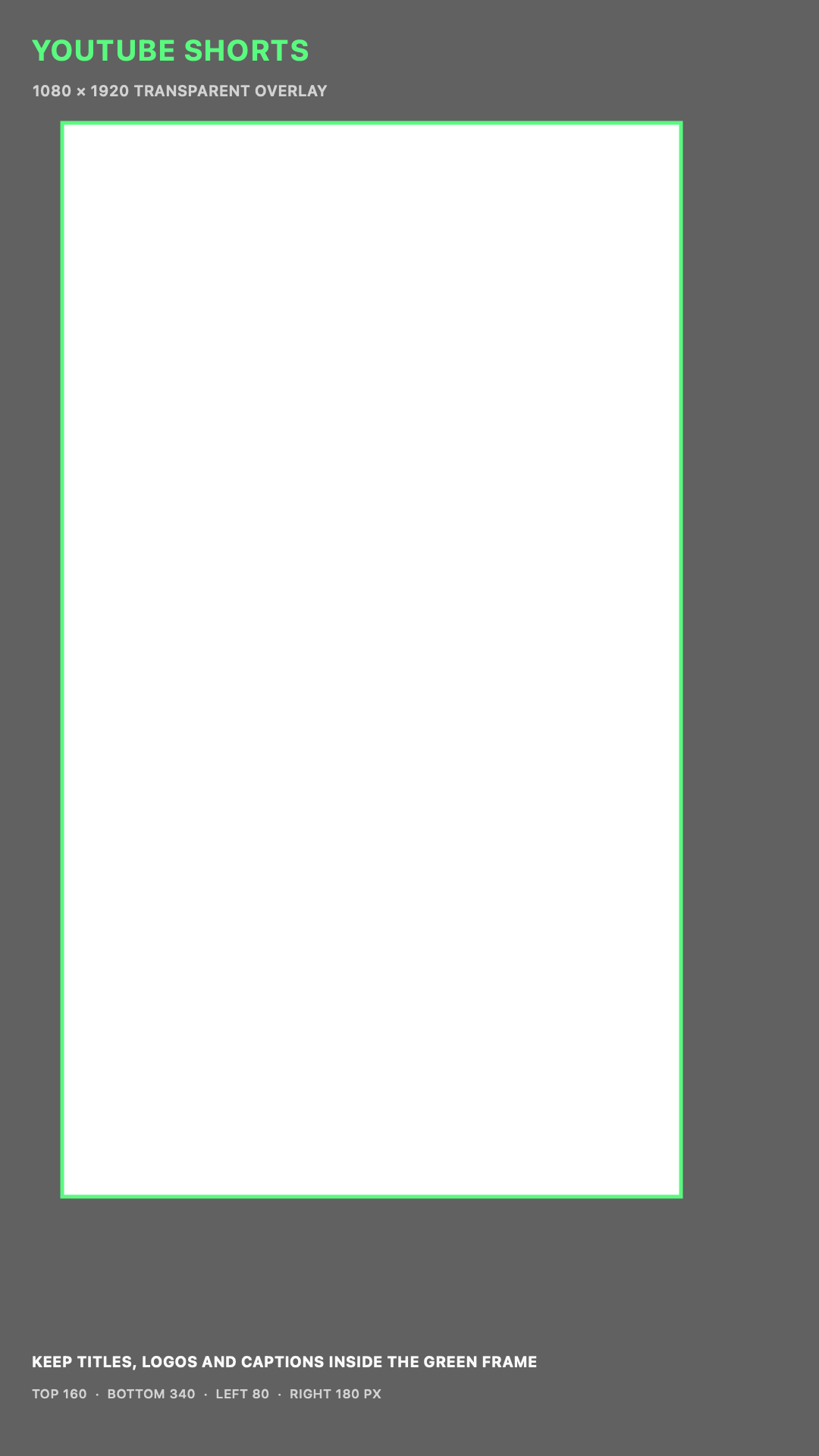
These are transparent 1080 x 1920 PNG overlays for your editing timeline. Put the PNG on the top video layer, keep critical text inside the green frame and disable it before export. The shaded areas are conservative working margins, not permanent platform guarantees.
The short-form preset I would start with
| Setting | Recommended starting point | Why |
|---|---|---|
| Frame | 1080 x 1920, 9:16 | Native vertical canvas for all three feeds |
| Container | MP4 | Broadest upload compatibility |
| Video codec | H.264, High Profile, 4:2:0 | Reliable decode and predictable platform handling |
| Frame rate | Match source: 24, 25, 30, 50 or 60 fps | Avoids duplicated or dropped frames |
| Bitrate | VBR 10 to 16 Mbps at 24 to 30 fps | Good detail without an oversized delivery file |
| Fast motion | VBR 16 to 24 Mbps at 50 to 60 fps | More data for motion and texture |
| Audio | AAC, stereo, 48 kHz, 256 kbps | Clean, compatible social delivery |
| Color | SDR Rec.709 | Most predictable cross-device result |
| Scan | Progressive | Social platforms are progressive delivery systems |
This is a practical master preset, not a platform guarantee. Every service re-encodes uploads. A higher bitrate does not force the platform to stream at that bitrate, but it gives the transcode a cleaner source. Past a sensible point, a larger file only costs upload time.
How to read a safe zone
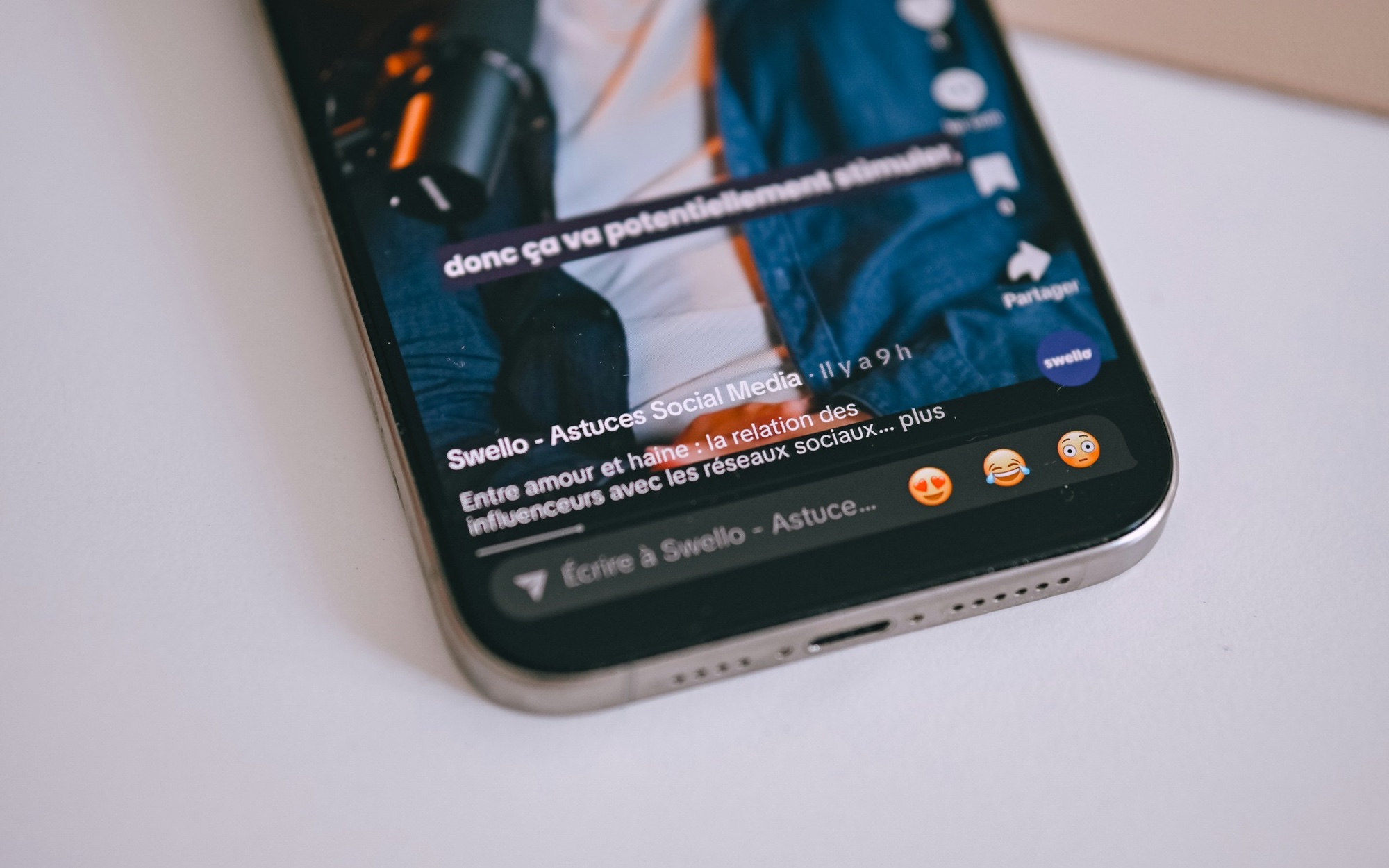
A safe zone is the part of the frame where a logo, subtitle or call to action is least likely to sit under app interface. It is not the only place where pictures can exist. Faces and backgrounds can cross the boundary. Critical text should not.
The numbers below are conservative editing margins on a 1080 x 1920 canvas. They combine current official interface guidance with space for common organic controls. TikTok states that its safe area changes with aspect ratio, caption length and add-ons. Meta provides a safe-zone checker, and its Stories ad guidance asks creators to leave roughly 14% at the top and 20% at the bottom clear. YouTube shows live placement guides inside the Shorts editor rather than publishing one fixed pixel box. Meta: Instagram Stories CTA safe area · TikTok: Auction In-Feed Ads safe zone · YouTube: Shorts placement guides
| Platform | Top | Bottom | Left | Right | Working text area |
|---|---|---|---|---|---|
| Instagram Reels | 250 px | 420 px | 64 px | 180 px | x 64 to 900, y 250 to 1500 |
| Instagram Stories with CTA | 270 px | 384 px | 64 px | 64 px | x 64 to 1016, y 270 to 1536 |
| TikTok | 180 px | 420 px | 80 px | 200 px | x 80 to 880, y 180 to 1500 |
| YouTube Shorts | 160 px | 340 px | 80 px | 180 px | x 80 to 900, y 160 to 1580 |
These margins are intentionally stricter than the bare minimum. If a Reel has a long caption, a TikTok uses an interactive card or a Shorts ad adds a CTA, the usable area can shrink. The final check is always an in-app preview.
Instagram Reels, Stories and feed video settings
Instagram accepts Reels between 1.91:1 and 9:16, with at least 720 pixels and 30 fps according to its help center. For full-screen work, deliver 1080 x 1920. Instagram can now accept much longer Reels, but its own guidance says Reels over three minutes are not recommended to new audiences. Long duration does not change the canvas or the interface safe zone. Instagram: Reel size and aspect ratios · Instagram: Recording and Reel length
| Use | Frame | FPS | Video bitrate | Safe-zone note |
|---|---|---|---|---|
| Reel, 24 to 30 fps | 1080 x 1920 | Match source | 10 to 16 Mbps VBR | Keep text above bottom 420 px and left of the right icon rail |
| Reel, 50 to 60 fps | 1080 x 1920 | Match source | 16 to 24 Mbps VBR | Use for real high-frame-rate footage, not converted 30 fps |
| Story | 1080 x 1920 | 24 to 30 fps | 10 to 16 Mbps VBR | With CTA, leave about 14% top and 20% bottom clear |
| Feed portrait | 1080 x 1350, 4:5 | Match source | 8 to 14 Mbps VBR | Keep key text at least 64 px from all edges |
| Feed landscape | 1080 x 608 or 1920 x 1080 | Match source | 8 to 16 Mbps VBR | Check the feed crop and cover separately |
Reels also appear in feed and profile surfaces. A full 9:16 frame can be cropped in previews, so keep the subject and opening title useful inside the central 4:5 area. On a 1080 x 1920 master, that central 4:5 crop runs from y 285 to y 1635. Interface-safe text needs an even smaller box.
TikTok short and long video settings
TikTok's recommended ad canvas is vertical 9:16. Its current auction in-feed specification accepts at least 540 x 960 and a minimum bitrate of 516 kbps, but those are acceptance floors, not good finishing targets. I would still deliver 1080 x 1920 and use enough bitrate to preserve skin, hair, grain, captions and fast motion before TikTok recompresses the file. TikTok: Auction In-Feed Ads specifications
| Use | Frame | FPS | Video bitrate | Notes |
|---|---|---|---|---|
| Standard short video | 1080 x 1920 | 24 to 30 fps | 12 to 18 Mbps VBR | Good starting point for talking heads and normal motion |
| Fast action or 60 fps | 1080 x 1920 | 50 to 60 fps | 20 to 30 Mbps VBR | Use only when the source contains the extra frames |
| Long TikTok video | 1080 x 1920 | Match source | 12 to 20 Mbps VBR | The same UI covers the frame, so keep the same safe zone |
| Horizontal source | 1920 x 1080 | Match source | 12 to 20 Mbps VBR | Accepted, but weaker use of the For You screen |
Keep subtitles and logos out of the rightmost 200 pixels and the bottom 420 pixels. TikTok's own documentation warns that longer captions make the safe zone smaller. If the post uses an anchor, download card or other interactive unit, preview that exact version in Ads Manager.
For long TikTok uploads, do not solve file-size problems by crushing bitrate on the final export. Keep a mezzanine master, make a platform copy, upload privately first and inspect the processed video. Long duration increases the chance of a bad network transfer or a missed glitch, so run a media and dead-frame check before upload.
YouTube Shorts settings and safe zones
YouTube classifies square or vertical uploads up to three minutes as Shorts. A 9:16 export at 1080 x 1920 is the cleanest default. YouTube's official upload table recommends 8 Mbps for 1080p at 24 to 30 fps and 12 Mbps at 48 to 60 fps. For motion graphics, grain or dense texture, I often give the encoder a little more room and deliver 12 to 16 Mbps at 30 fps or 16 to 24 Mbps at 60 fps. YouTube: Three-minute Shorts · YouTube: Recommended upload encoding settings
| Use | Frame | Official bitrate reference | My delivery range | Safe-zone note |
|---|---|---|---|---|
| Short, 24 to 30 fps | 1080 x 1920 | 8 Mbps | 12 to 16 Mbps VBR | Keep text out of right 180 px and bottom 340 px |
| Short, 48 to 60 fps | 1080 x 1920 | 12 Mbps | 16 to 24 Mbps VBR | Preserve the recorded frame rate |
| Square Short | 1080 x 1080 | 8 Mbps | 10 to 16 Mbps VBR | Accepted, but uses less of the vertical screen |
The YouTube Shorts editor shows guides when text or stickers approach controls such as like, comments and the description. Use those guides for the final placement check. For an external edit, keep the first frame readable without UI and avoid placing a logo where the right-hand action rail will sit.
YouTube long-form bitrate and export settings
YouTube long-form is the one place in this guide where the platform publishes a detailed bitrate table. Upload MP4 with H.264, progressive scan, variable bitrate and the same frame rate as the source. For SDR, use Rec.709. YouTube recommends AAC-LC or Opus audio at 48 kHz and lists 384 kbps for stereo. YouTube: Recommended upload encoding settings
| Resolution | 24, 25 or 30 fps | 48, 50 or 60 fps | Typical frame |
|---|---|---|---|
| 720p | 5 Mbps | 7.5 Mbps | 1280 x 720 |
| 1080p | 8 Mbps | 12 Mbps | 1920 x 1080 |
| 1440p | 16 Mbps | 24 Mbps | 2560 x 1440 |
| 2160p, 4K | 35 to 45 Mbps | 53 to 68 Mbps | 3840 x 2160 |
For long-form graphics, keep permanent text inside a conservative 5% edge margin. On 1920 x 1080 that is 96 pixels at the sides and 54 pixels at the top and bottom. I place subtitles higher, above roughly the bottom 12%, so player controls do not cover them when they appear. This is an editing margin, not a fixed YouTube specification.
The delivery workflow that avoids most quality problems
- Finish a mezzanine master
Export ProRes 422 HQ, ProRes 422 or DNxHR HQX from the final timeline. Keep this as the archive and source for all platform encodes.
- Make one encode per platform
Do not upload the Instagram download to TikTok or the TikTok download to YouTube. Watermarks and second-generation compression are avoidable.
- Check the file outside the NLE
Confirm resolution, frame rate, duration, audio channels, color and the first and last frames. Watch at least the opening, the densest motion and the final CTA.
- Preview with the real UI
Use the platform preview or a private upload. Check a small phone and a larger display when the campaign matters.
- Publish only after processing
YouTube may show a low-resolution version before HD processing finishes. Keep the upload unlisted until the required resolutions are available.
- No black bars unless they are a deliberate part of the design
- No interlaced frames
- No frame-rate conversion without a creative reason
- Captions stay inside the platform text-safe area
- Music and dialogue do not clip
- Rec.709 export does not shift on a phone
- Thumbnail and cover still work after feed cropping
- The processed upload, not just the local file, has been reviewed
Frequently asked questions
What is the best bitrate for Instagram Reels?
For a 1080 x 1920 H.264 Reel, 10 to 16 Mbps VBR is a strong starting range at 24 to 30 fps. Use 16 to 24 Mbps for genuine 50 or 60 fps footage. Instagram re-encodes every upload, so also enable Upload at highest quality and inspect the processed post.
What is the TikTok safe zone in pixels?
On a 1080 x 1920 master, a conservative text-safe area is x 80 to 880 and y 180 to 1500. That leaves 80 pixels left, 200 right, 180 top and 420 bottom. TikTok says the safe area changes with caption length and interactive add-ons, so preview the final format.
What bitrate should I use for YouTube Shorts?
YouTube's official 1080p reference is 8 Mbps at 24 to 30 fps and 12 Mbps at 48 to 60 fps. For graphics or complex motion, a 12 to 16 Mbps 30 fps delivery or 16 to 24 Mbps 60 fps delivery gives the transcode a cleaner source.
Should I upload 4K video to Instagram or TikTok?
Keep a 4K master, but 1080 x 1920 is the predictable delivery size for vertical Instagram and TikTok posts. A 4K upload does not guarantee a 4K stream and can add upload time. Test a private post if fine texture or heavy motion makes 1080p compression visible.
Should social video be 30 or 60 fps?
Match the recorded frame rate. Keep 24, 25 or 30 fps footage at its source rate. Deliver 50 or 60 fps when the camera recorded it and the extra temporal detail helps action, gaming or slow motion. Converting 30 fps to 60 only creates duplicate or interpolated frames.
Sources
About the author
Celal Kaçar is a video editor focused on story structure, pacing, sound and viewer retention across longform, shortform and commercial work.